
Transforming Power BI Reports into Interactive Applications with Translytical Task Flows
Business intelligence has long been about delivering insights through dashboards and reports. But as organizations demand faster decision-making, the gap between insight and action is becoming more apparent.
Why should users have to leave a dashboard to update records, approve requests, or trigger workflows?
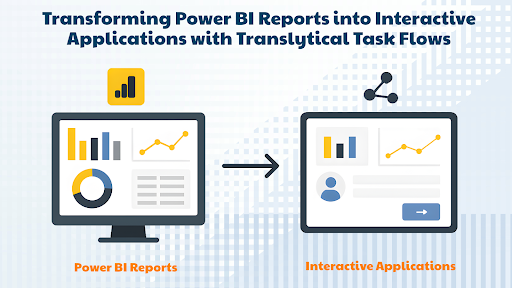
The latest advancements in Translytical Task Flows and User Data Functions (UDFs) are changing that, turning Power BI reports into fully functional, action-driven applications.
From Static Dashboards to Actionable Interfaces
Traditional BI reports are read-only: they allow you to explore and analyze data but not interact with it beyond filtering or drilling down.
Translytical Task Flows break that barrier by enabling write-back capabilities directly within your dashboards.
This means users can:
- Approve or reject tasks with a single click
- Update status fields in real time
- Trigger operational processes without leaving the BI environment
It’s no longer just viewing data; it’s changing data securely, in real time.
The Power of User Data Functions (UDFs)
At the heart of these capabilities are User Data Functions, which act as secure, backend processes triggered by user interactions in the report.
These SQL-based functions can:
- Update databases in OneLake or Fabric
- Trigger external workflows
- Perform conditional logic before committing changes
Because UDFs run on the backend, they keep operations secure, governed, and role-aware, ensuring only authorized users can perform sensitive updates.
Why Does This Matter for Businesses?
1. Faster Decision-to-Action Cycle
No need to email teams or switch tools. Actions happen at the point of insight.
2. Reduced Operational Friction
With write-back built into reports, there’s no disconnect between analytics and operations.
3. Enhanced User Experience
Reports feel more like applications-intuitive, responsive, and task-oriented.
4. Lower Development Overhead
Eliminates the need for complex integrations or standalone apps for simple operational updates.
How to Implement Translytical Task Flows in Your BI Stack?
1. Identify Key Actions
Map out the decisions or updates users frequently make after viewing your reports (e.g., approvals, data corrections, task assignments).
2. Design the UDF Logic
Write the SQL logic to securely handle updates, validations, and logging.
3. Integrate into the Dashboard
Add interactive UI elements like buttons, dropdowns, or icons that trigger the UDFs through Translytical Task Flows.
4. Test for Security and Governance
Apply role-based access and audit logging to ensure compliance with data governance policies.
Real-World Example
Imagine a project management dashboard that shows all pending tasks across teams.
With traditional BI, you’d review the report and then switch to another application to update statuses.
With Translytical Task Flows, you can:
- Change task status from “In Progress” to “Complete” in the dashboard
- Automatically notify relevant stakeholders
- Update connected operational systems, all in real time
The result? Seamless insight-to-action workflows that save time and improve data accuracy.
Conclusion: BI as a Platform for Action
By embedding Translytical Task Flows and UDFs into Power BI, organizations can transform dashboards into operational hubs, merging analytics with execution.
This approach not only increases productivity but also keeps business processes streamlined, secure, and data-driven. It’s a leap forward in the evolution of BI from simply informing decisions to enabling them instantly.