
Introduction
Retail demand can change quickly. A product that sells well today may see lower demand next month, while another product may become popular during a festive season or promotional campaign. For retailers, understanding these changes is essential for maintaining the right inventory levels and meeting customer expectations.
When businesses depend entirely on spreadsheets or past sales reports, predicting future demand can be difficult. Overstocking increases storage costs and ties up working capital, while insufficient stock can lead to missed sales and unhappy customers.
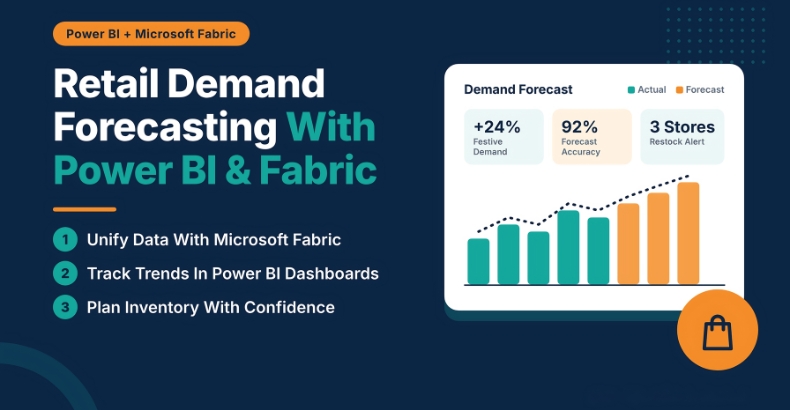
Retail demand forecasting with Power BI and Microsoft Fabric helps businesses understand sales patterns, bring data together, and make smarter decisions about inventory, purchasing, and product availability.
Why Retail Demand Forecasting Matters
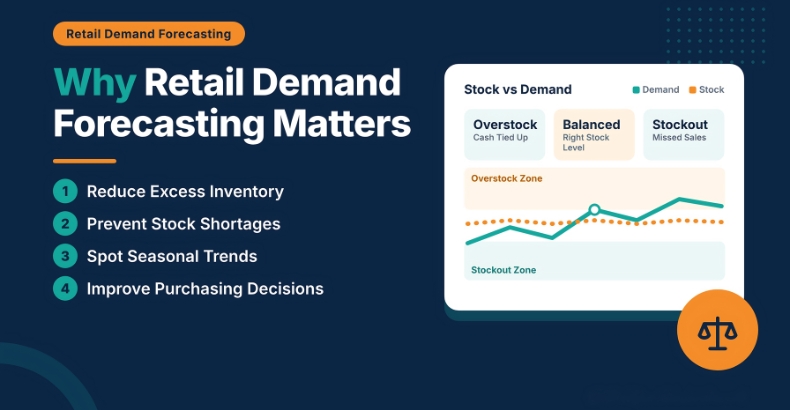
Demand forecasting gives retailers a better idea of what customers may need in the coming days, weeks, or months. Instead of waiting for stock shortages or excess inventory to become a problem, teams can plan ahead using historical sales and current business data.
Effective forecasting can help retailers:
- Reduce excess inventory and unnecessary storage costs.
- Keep popular products available when customers need them.
- Recognize seasonal trends and changing buying behavior.
- Improve purchasing and stock replenishment decisions.
For example, a retailer preparing for a festive season can analyze previous years’ sales to identify products that typically experience higher demand. Although past performance cannot guarantee future results, it provides a useful starting point for planning.
How Microsoft Fabric Supports Retail Forecasting
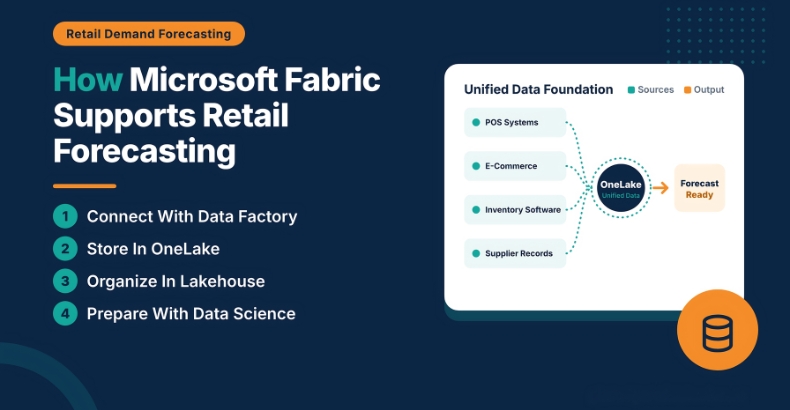
Retail data is often spread across different systems, such as point-of-sale (POS) software, e-commerce platforms, inventory management tools, and supplier databases. When these systems operate separately, getting a complete picture of business performance becomes challenging.
Microsoft Fabric helps retailers bring data from different sources into a connected analytics environment. This makes it easier to prepare information for reporting, identify patterns, and support forecasting workflows.
Some key Microsoft Fabric capabilities include:
- Data Factory: Connects data sources and helps manage data integration workflows.
- OneLake: Provides a unified data foundation for storing and accessing organizational data.
- Lakehouse: Helps organize and analyze data for reporting and analytics.
- Data Engineering and Data Science: Support data preparation and the development of advanced forecasting models.
By combining sales history, inventory records, product information, and promotional data, retailers can build a more complete view of demand across stores and sales channels.
The result is a stronger data foundation for making informed retail decisions.
The Role of Power BI in Demand Forecasting
Having data available is only part of the solution. Retail teams also need a simple way to understand what the numbers mean and how they should respond.
Power BI transforms retail data into interactive dashboards that help managers monitor performance and identify potential issues. Instead of reviewing multiple spreadsheets, teams can explore sales trends, stock levels, and product performance in one place.
A retail demand forecasting dashboard can include:
- Sales Trends: Understand how sales change over time.
- Inventory Levels: Identify products that may be overstocked or running low.
- Forecast vs. Actual Sales: Compare predicted demand with actual results.
- Product Performance: Identify fast-moving, slow-moving, and seasonal products.
Power BI also supports built-in forecasting in suitable time-series visualizations. When retailers need more advanced predictions, they can use statistical methods or machine learning models and present the results in Power BI.
This makes it easier for business teams to move beyond reviewing past performance and start planning for future demand.
A Practical Example of Retail Demand Forecasting
Imagine a clothing retailer operating stores in several cities. As the festive season approaches, the company expects demand for certain clothing categories to increase. However, not every store will experience the same level of demand.
By analyzing historical sales, current inventory, promotional campaigns, and product performance, the retailer can estimate which products are likely to sell faster at each location.
A Power BI dashboard can help managers see where additional stock may be needed and where existing inventory could be redistributed.
For instance, one store may be running low on a popular product while another has more stock than it is likely to sell. Rather than immediately placing another supplier order, the retailer can consider transferring inventory between the two locations.
This simple example shows how forecasting can support better decisions, reduce avoidable inventory costs, and help products reach customers when they need them.
Improving Inventory and Supply Chain Decisions
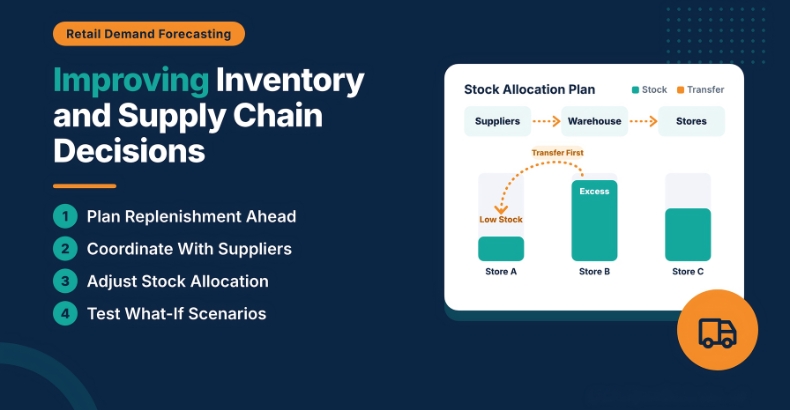
Demand forecasting becomes even more useful when it is connected to purchasing and supply chain planning. Retailers can use expected demand to estimate future stock requirements, coordinate supplier orders, and distribute products across warehouses and stores.
With better demand visibility, businesses can make more informed decisions about:
- When to reorder products.
- How much inventory to maintain.
- Which locations need additional stock.
- How to prepare for promotional periods and seasonal demand.
Forecasts can also help retailers consider different business scenarios, such as a sudden increase in sales, delayed supplier deliveries, or weaker-than-expected demand.
However, forecasting should not be treated as a one-time activity. Regularly comparing predictions with actual sales helps retailers adjust their plans as market conditions change.
Why Data Quality and Forecast Accuracy Matter
Even the most advanced analytics tools cannot guarantee accurate forecasts if the underlying data is incomplete or unreliable. Missing sales records, incorrect inventory figures, and changes in product pricing can all affect forecasting results.
Retailers should focus on maintaining accurate data and reviewing forecast performance regularly. It is also important to account for factors such as holidays, promotions, seasonal patterns, and unexpected changes in customer behavior.
Power BI makes it easier to monitor forecasting performance, while Microsoft Fabric supports the data integration and preparation processes behind the analysis.
When reliable data is combined with appropriate forecasting methods and regular monitoring, businesses can make decisions with greater confidence.
Conclusion
Retail demand forecasting is about more than predicting how many products customers might buy. It helps businesses plan inventory, improve purchasing decisions, and respond to changing customer needs before small problems become costly challenges.
Microsoft Fabric provides a connected foundation for bringing retail data together, while Power BI turns that data into meaningful insights through interactive dashboards and reports.
Together, these technologies can help retailers improve demand visibility, manage inventory more effectively, and build a more responsive supply chain. The real advantage comes from using these insights consistently to make better everyday business decisions.
FAQs
Retail demand forecasting predicts future product demand using historical sales, seasonal trends, and current business data.
Microsoft Fabric connects and prepares retail data, while Power BI visualizes sales trends, inventory levels, and forecasts.
It helps retailers reduce overstocking, prevent stock shortages, and improve replenishment decisions.
Retailers need historical sales, inventory records, product details, promotional data, and seasonal trends.
Retailers can improve accuracy by maintaining reliable data, considering seasonal changes, and comparing forecasts with actual sales.