
Building Reliable, Scalable, and Automated Analytics
In today’s fast-paced business environment, data is no longer just used for reporting; it drives real-time decisions. As organizations deal with increasing data volumes and more complex analytics, manual processes quickly become inefficient and error prone.
This is where DataOps for Power BI comes in. By applying DataOps principles, organizations can turn their analytics into a streamlined, automated, and reliable system, ensuring insights are always accurate, up-to-date, and ready when needed.
Why DataOps Matters for Power BI

DataOps brings the discipline of DevOps into the data world. It focuses on automation, collaboration, and continuous improvement.
For Power BI, this means transforming how dashboards and reports are built, maintained, and delivered.
Key advantages include
- Faster delivery of insights through automation
- Reduced errors with structured testing processes
- Consistent deployments across development, testing, and production environments
- Scalability as data and reporting needs grow
Instead of reactive fixes, organizations move toward proactive, reliable analytics operations.
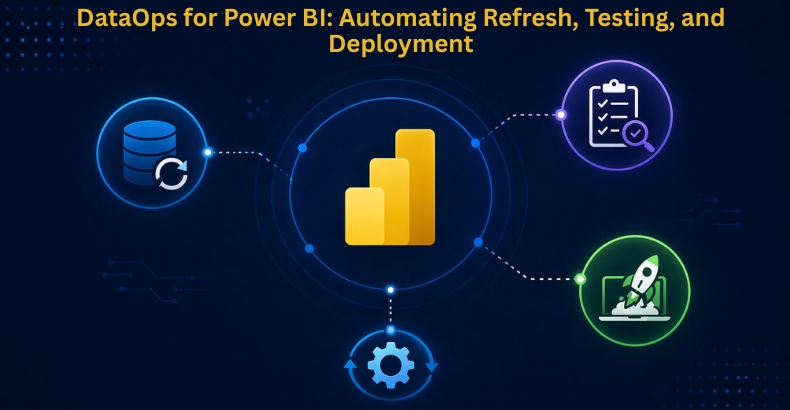
Automating Data Refresh
One of the biggest challenges in Power BI is ensuring that dashboards always reflect the latest data. Manual refresh processes are not only time-consuming but also risky.
With DataOps, refresh becomes automated and intelligent:
- Scheduled Refreshes → Ensure data updates at defined intervals without manual effort
- Monitoring & Alerts → Quickly detect and resolve refresh failures
- Incremental Refresh → Process only new or changed data, improving performance and reducing load
This ensures that decision-makers always work with fresh, reliable data.
Testing in Power BI
Trust in data is everything. Without proper testing, even small changes can lead to incorrect insights.
DataOps introduces structured testing practices into Power BI:
- Data Source Validation → Ensures connections remain stable and secure
- Measure & KPI Testing → Confirms calculations deliver accurate results
- Regression Testing → Verifies that updates don’t break existing reports
By implementing testing, organizations reduce risks and ensure that their dashboards are consistent and trustworthy.
Automating Deployment with CI/CD
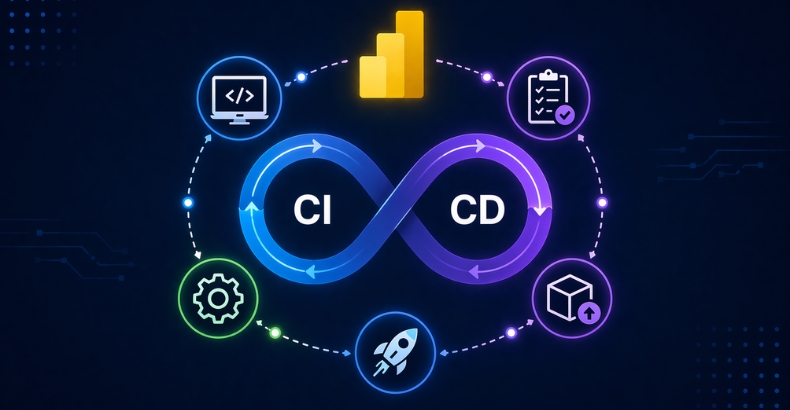
Manual deployment of Power BI reports often leads to inconsistencies and version conflicts. DataOps solves this with CI/CD (Continuous Integration and Continuous Deployment) practices.
Key improvements include the following:
- Automated Pipelines → Move reports from development to production seamlessly
- Version Control → Track changes in datasets, reports, and dashboards
- Rollback Capability → Quickly revert to previous versions if issues arise
This approach ensures smooth, controlled, and reliable deployments.
Real Business Impact
When DataOps is applied to Power BI, the benefits go beyond technical improvements:
- Faster time-to-insight
- Improved data accuracy and trust
- Reduced manual effort and operational cost
- Better collaboration between teams
- Scalable analytics infrastructure
Organizations move from fragmented processes to a well-orchestrated data ecosystem.
Key Considerations
While DataOps brings major advantages, successful implementation requires:
- Skilled teams with understanding of automation and pipelines
- Proper governance and security practices
- Continuous monitoring and optimization
Adopting DataOps is not just about tools; it’s about building a data-driven culture.
Conclusion
DataOps for Power BI is more than a technical enhancement; it’s a shift toward modern, reliable, and scalable analytics.
By automating data refresh, testing, and deployment, organizations can eliminate manual inefficiencies, reduce errors, and build trust in their data.
In a world where decisions depend on real-time insights, success doesn’t come from working harder; it comes from working smarter with automation, discipline, and the right processes in place.
Organizations looking to scale their analytics can benefit from expert-led Power BI and data solutions to build a strong DataOps foundation.
FAQs
DataOps for Power BI applies automation, collaboration, and continuous improvement practices to build reliable, scalable, and efficient analytics workflows.
DataOps helps automate data refresh, improve report quality, reduce errors, and ensure consistent deployments across development and production environments.
DataOps uses scheduled refreshes, monitoring and alerts, and incremental refreshes to keep Power BI dashboards updated with the latest data.
DataOps supports automated CI/CD pipelines, version control, and rollback capabilities to ensure reliable and consistent report deployments.
DataOps improves data accuracy, reduces manual effort, accelerates insights, strengthens collaboration, and supports scalable analytics operations.